

What it looks like
Numbers on the niche, not adjectives
Every tool, exactly as it appears once you sign in. Step through them to see what each one gives you.
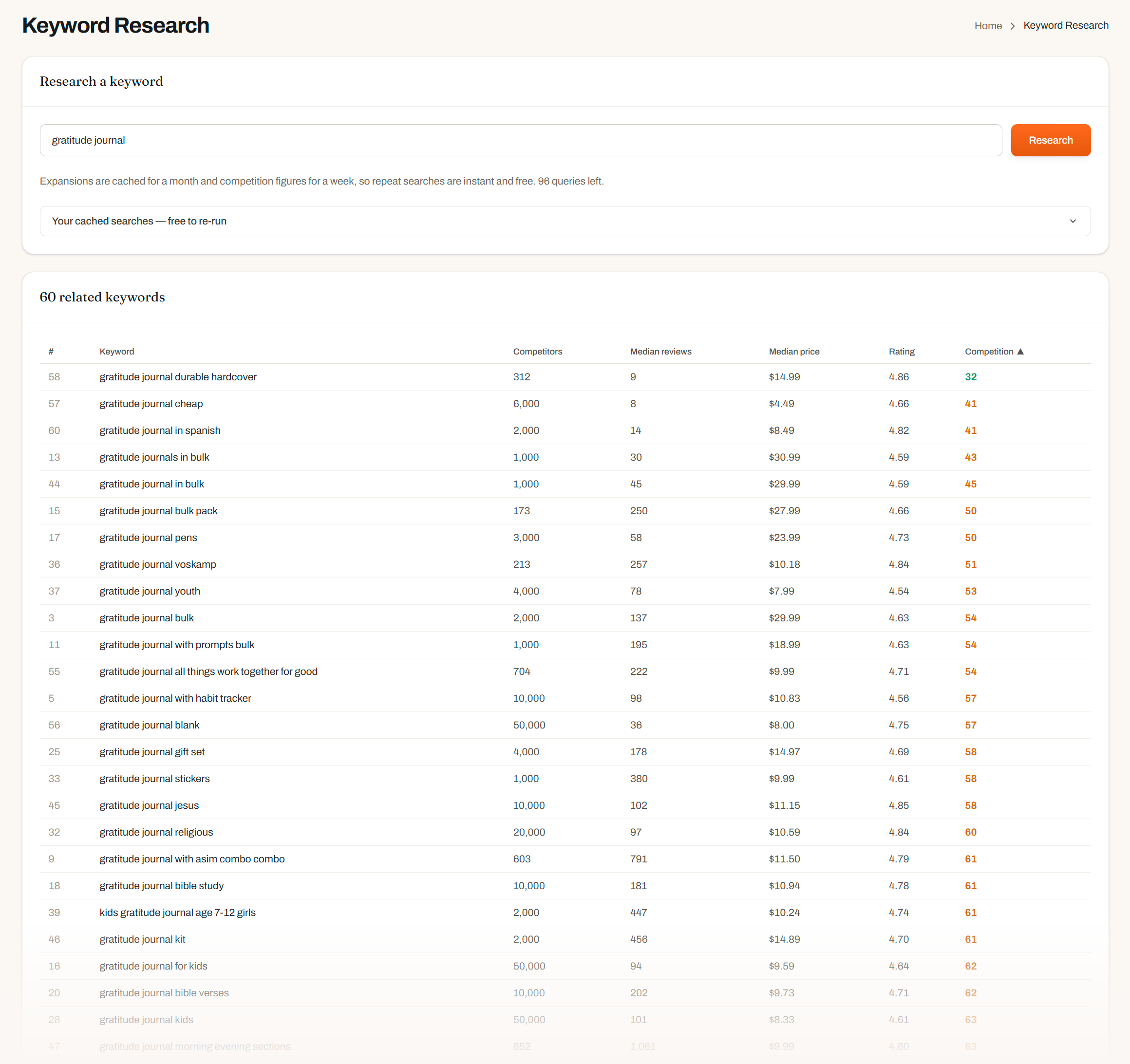
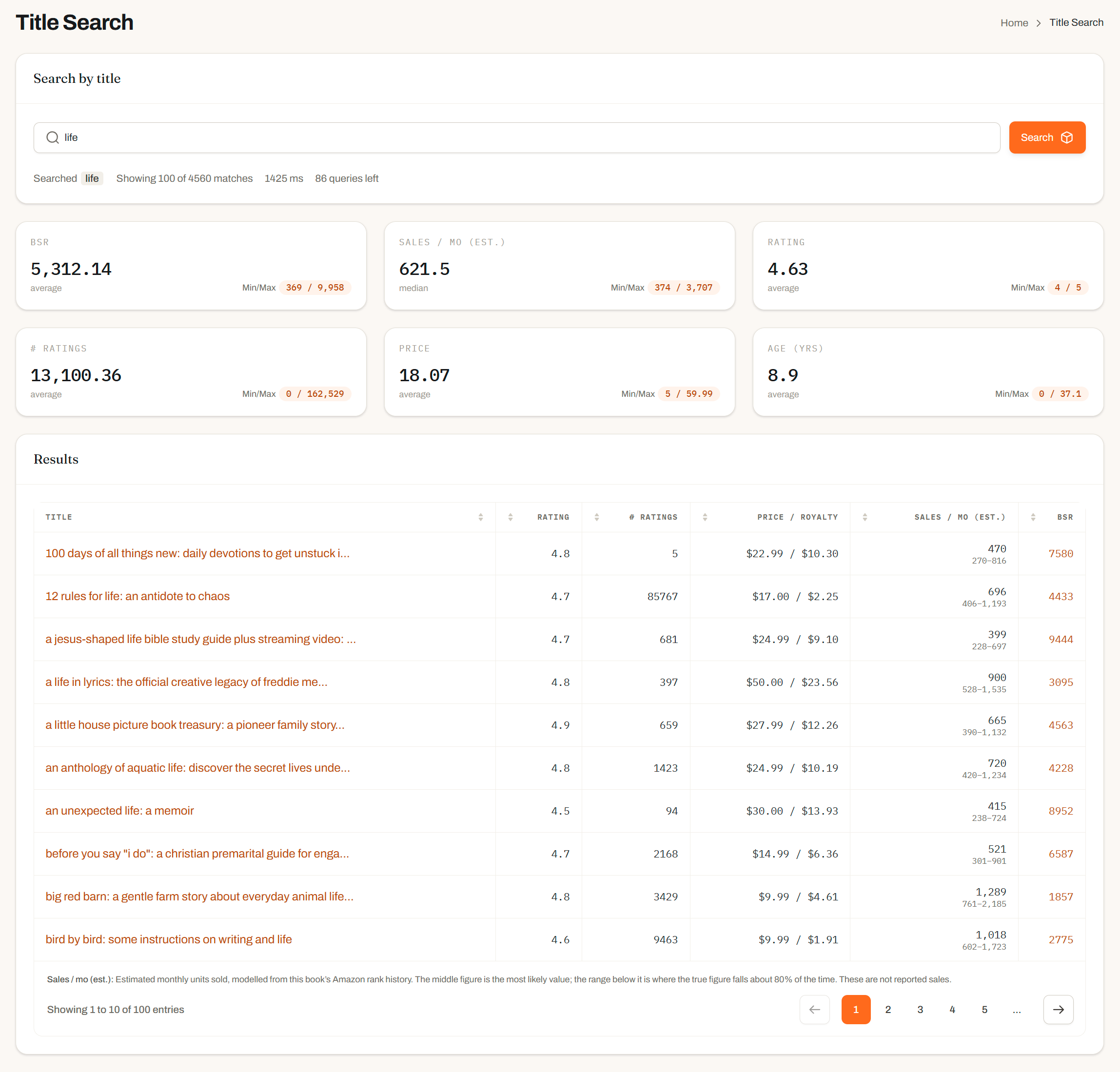
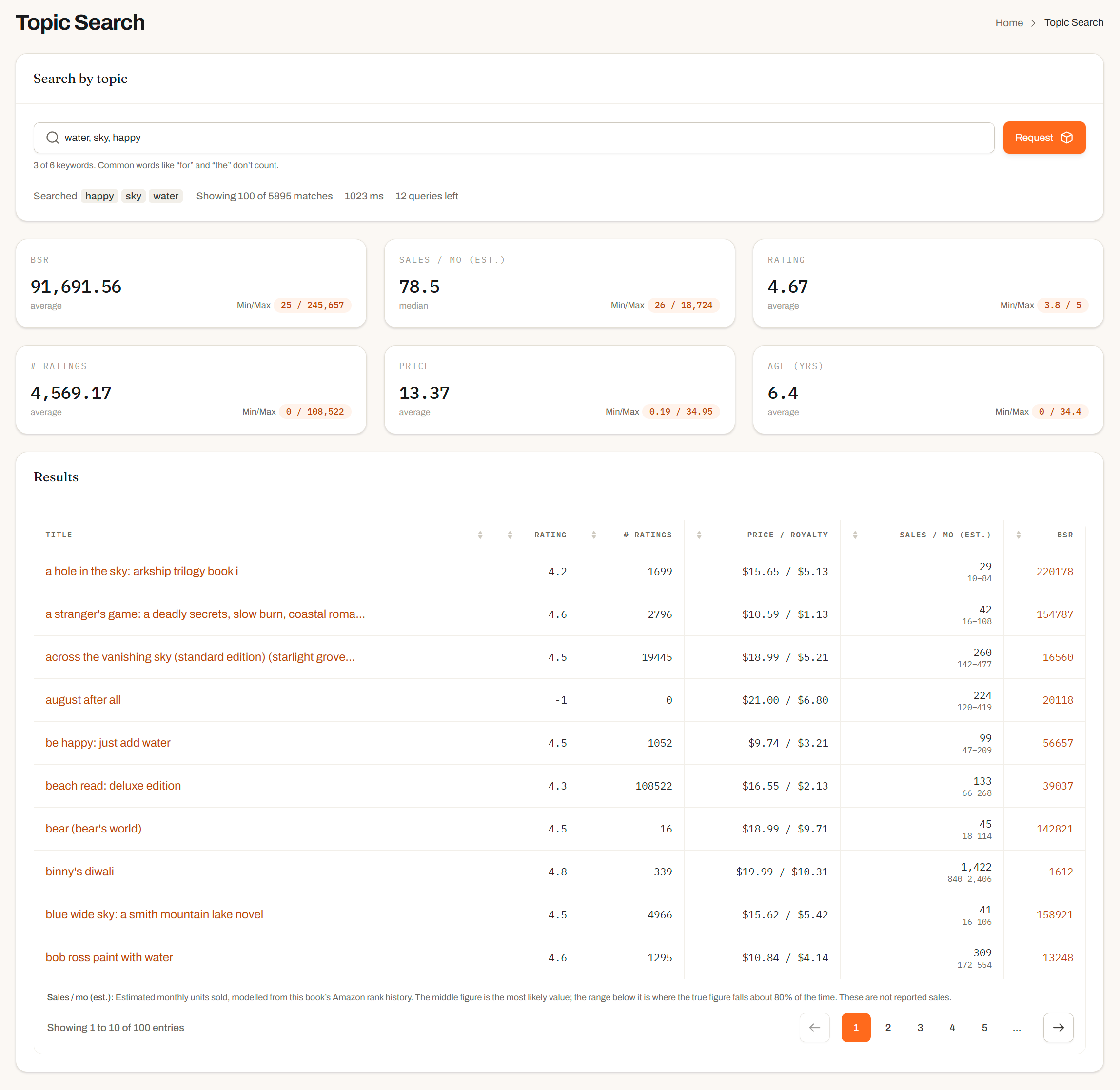
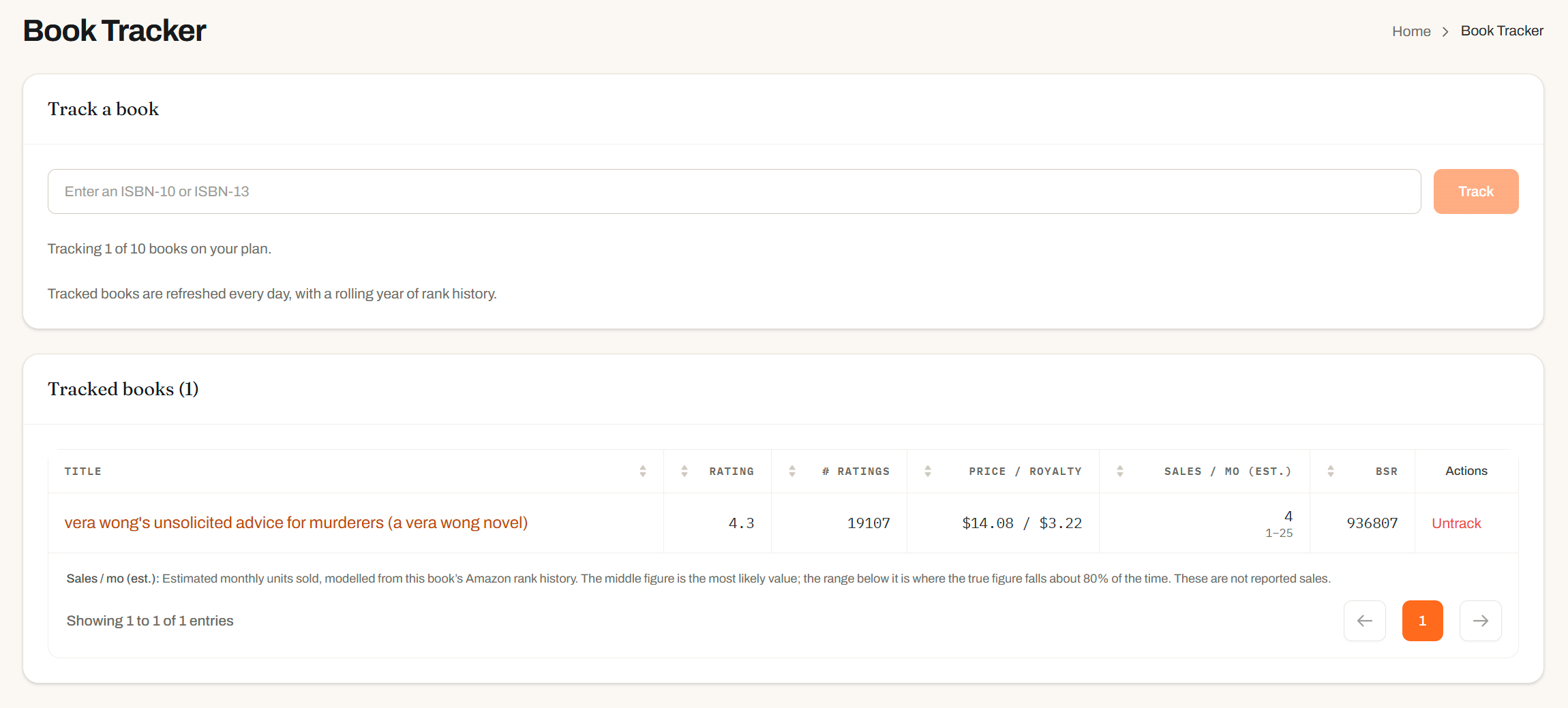
Keyword Research
Expand a keyword into what Amazon shoppers actually search, with competition figures for each.
Find a niche
The search every KDP tutorial teaches, in one step
Books that sell well, with few reviews, published recently: that is where a new book has room. Set those limits and KDProfit searches the whole catalog for them, in Print, Kindle or Audible.
Every Print and Kindle match shows its rank, a monthly sales range, its royalty and its rank history. It is included on both plans, from $9 a month.
Why it exists
Publishing blind is the expensive part
Most books that fail were decided before a word was written — the wrong niche, a title nobody searches, a category already owned by three entrenched sellers. The information needed to avoid that is public. It is just tedious to gather.
Start with a topic
Enter a seed keyword or a title you are considering, or, from December 2026, just browse Amazon with the Chrome extension installed. No setup, no spreadsheets.
See the market
We pull what Amazon shoppers actually search, then measure each phrase against the Books category — competing titles, prices, how entrenched their reviews are.
Decide with numbers
A competition score per keyword, rank and review data per book, and a tracker that watches a title over time.
What you get
Six tools, and nothing you will never open
Every plan includes all of them. The difference between plans is how many searches you get, not which features are unlocked.
| Tool | Starter | Pro |
|---|---|---|
| Keyword Research Expand a keyword into what Amazon shoppers actually search, with competition figures for each. | 100queries | 225queries |
| Title Search Check a title or phrase against every book in the catalogue, ranked by relevance. | 100queries | 225queries |
| Description Search Find books by what they are about, not just what they are called — titles and descriptions together. | 25queries | 50queries |
| Reverse Lookup See the Amazon search terms a book shows up for, and where it sits in each. | 10lookups | 25lookups |
| Book Tracker Follow individual books and watch their rank, price and reviews day by day, and where each ranks for the search terms you choose, week by week. | 10books and 30 search terms at once | 20books and 100 search terms at once |
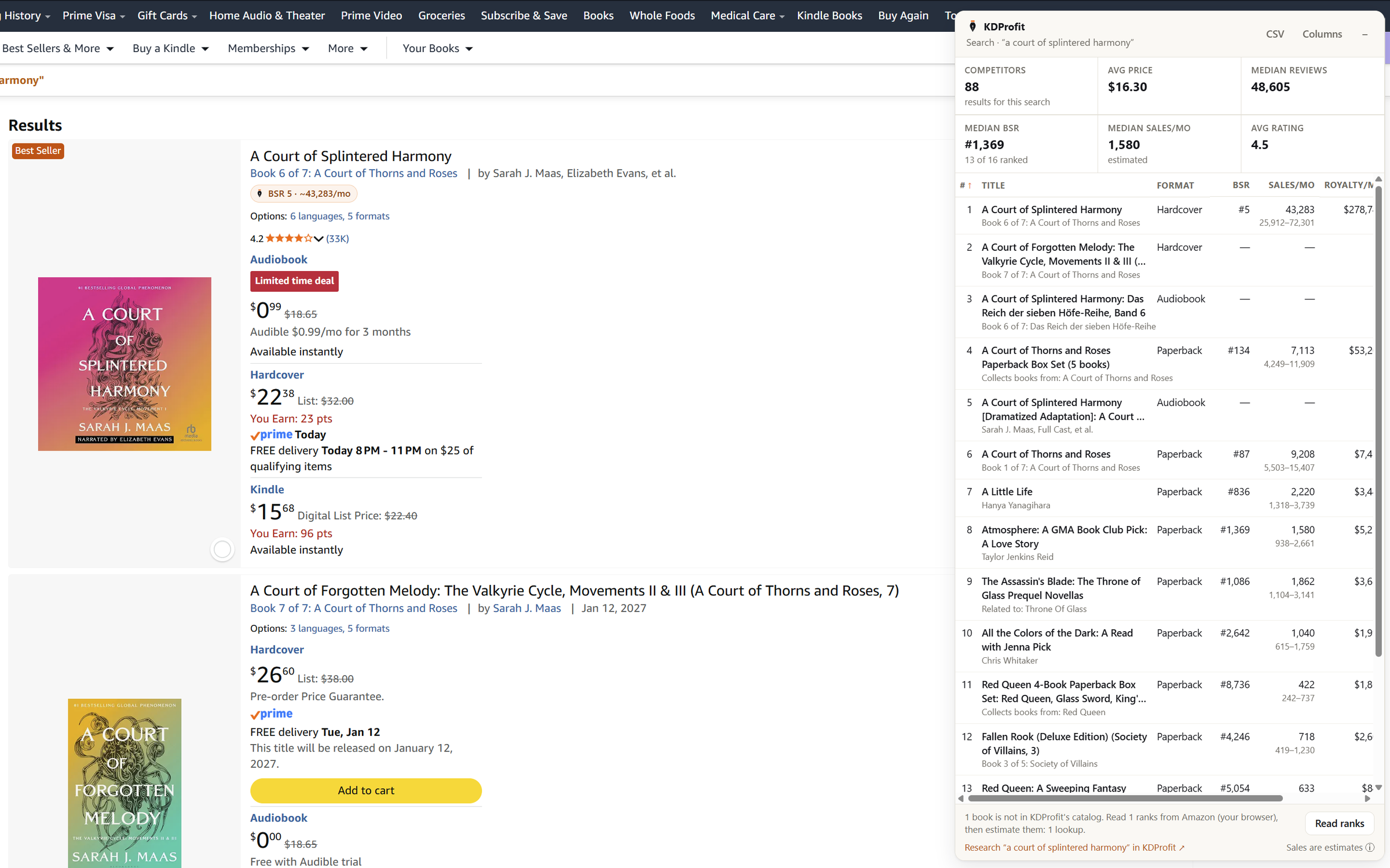
| Chrome ExtensionComing December 2026 KDProfit on Amazon itself: sales estimates, royalties and rank history beside the books you are already browsing. | 100lookups | 225lookups |
Plus Biggest Movers, a daily view of the books climbing fastest, included on both plans.
Pricing
From $9 a month
$9 per month billed annually, or $10 month-to-month. Pro is $18 and $20 on the same terms, and roughly doubles every allowance.
There is no free trial. A free account shows sample reports from every tool, so you can see exactly what you would get first.
Questions
Before you sign up
What is KDProfit?
KDProfit is a research service, providing data and insights into Amazon book and Kindle publishing space to help authors and publishers make informed decisions and maximize their success in the marketplace.
What makes KDProfit different?
Price and simplicity. KDProfit keeps to the research tools KDP authors use most: searching the catalog for a niche, keyword research, reverse lookup and tracking. Every plan includes all of them, from $9 a month, with no add-ons to pay for or learn.
Can I test KDProfit out for free?
KDProfit does not offer a free trial period. A free account shows sample reports from every tool for a set of example niches, so you can see exactly what each tool returns before you pay.